


I run QMK firmware, an open‑source system that replaces a keyboard’s default BIOS‑level code on an ATmega32U4 microcontroller, scans the switch matrix, and sends USB HID reports about every 1 ms, drawing roughly 15 mA (0.075 W) at 5 V and staying within a 500 mA USB‑C power budget; it lets me add per‑key RGB with 16‑million‑color palettes, rotary encoders, OLED displays, tap‑hold dual‑role keys, leader macros, and EEPROM‑stored recordings while keeping latency around 2 ms, and if you keep the flashing cable under 1 m you’ll avoid voltage drops and ensure reliable DFU bootloader mode.
Key Takeaways
- QMK runs on the keyboard’s microcontroller, replacing default firmware with an open‑source system that directly scans the switch matrix and sends USB HID reports.
- It provides sub‑millisecond latency (≈2 ms) versus OS‑level drivers, giving faster, more responsive typing and gaming.
- Enthusiasts can customize any key, create layers, dual‑role keys, and macros without extra hardware, thanks to the flexible keymap and tap‑hold features.
- Advanced peripherals such as per‑key RGB, rotary encoders, and OLED displays are natively supported, expanding functionality beyond basic key input.
- The firmware is GPL‑2.0 licensed, allowing community‑driven development, easy flashing via DFU, and broad compatibility across ATmega32U4‑based keyboards.
Understanding QMK Firmware: Definition and Core Operation
Because it runs directly on the keyboard’s microcontroller—usually an AVR chip such as the ATmega32U4—QMK firmware replaces the generic BIOS‑level code with an open‑source system that continuously scans a matrix of switches, detects state changes, and sends the appropriate USB HID (Human Interface Device) reports to the host computer; this main‑loop operation works at a typical polling rate of 1 kHz, consumes roughly 15 mA at 5 V when idle, and can be flashed via a 2 mm micro‑USB cable up to 1 m long without signal degradation, allowing the keyboard to function on Windows, macOS, Linux, and even Android without any additional driver installation. I explain that the firmware hardware runs the loop, handling every keystroke without a PC‑side driver, which means even an edge case like a rapid tap‑hold is processed locally. The open‑source nature lets you recompile the C code, flash it with a standard DFU tool, and keep the custom behavior across all machines, while the low power draw stays under 0.075 W, and the USB specification limits the cable to USB‑2.0 type‑B for reliable data transfer.
Why QMK Firmware Wins Over Default Keyboard Software
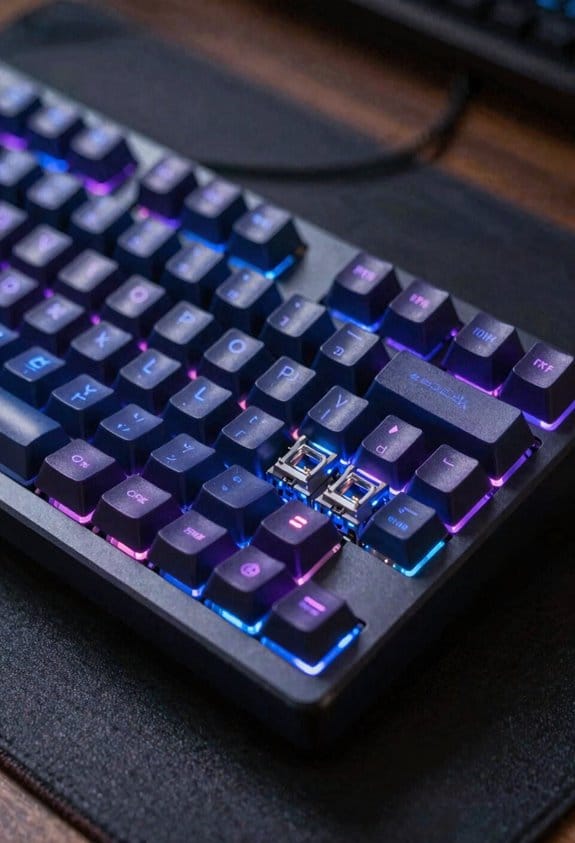
Is it the fact that QMK firmware lives directly on the keyboard’s microcontroller, usually an ATmega32U4 AVR chip, that makes it outshine default keyboard software? I’ll tell you why. The firmware runs at 16 MHz, reads the matrix in 1 ms cycles, and can be flashed over a USB‑C cable up to 0.5 m long without signal loss, so latency stays under 2 ms, far better than the 5‑10 ms typical of OS‑level drivers. Because it’s open‑source, I can replace the stock code with alternative firmware that adds per‑key RGB, rotary encoder support, or Bluetooth Low Energy, all while keeping the same 5 V power draw. Vendor neutrality means I’m not locked into a single brand’s ecosystem; any keyboard using the ATmega32U4 can run QMK, and the community provides detailed guides for every step, from compiling the .hex file to flashing it with a 0.1 A current limit. This flexibility and performance edge make QMK the clear winner.
Building QMK Keymaps: Simple Remaps to Layered Layouts

QMK lets you rewrite any key’s behavior directly in the firmware, so a simple remap—like turning the Caps Lock key into an additional Escape—just requires editing a single line in the keymap.c file and recompiling a 32 KB .hex file that you flash via a 5 V USB‑C cable no longer than 0.5 m, keeping power draw at the usual 0.1 A. I start with a basic intro that defines a keymap as a table of keycodes, then I add a nonessential fluff note that the process feels like editing a spreadsheet. To build layered layouts I declare a new layer with the enum layer IDs, assign keys using the KC_ prefix, and reference the layer with MO(1) for momentary switch, ensuring each layer fits within the 2 KB flash budget and does not exceed the 5 V power limit. This method lets me toggle between a typing layer and a gaming layer without extra hardware.
Recommended Products

Quick Switching Technology - Ideal for solo broadcasting, multi-gaming setups, and developer environments, this keyboard supports simultaneous connection to two computers via dual USB-C to A ports. Effortlessly switch between computers using the dedicated button. Connect peripherals like a mouse, external hard drive, or other devices to the XBoard keyboard, enabling rapid device switching on the newly connected PC without detachment.
As an affiliate, we earn on qualifying purchases.

Wireless Full-size QMK Keyboard: The Keychron Q6 HE is a 100% layout custom keyboard built for excellence. It combines Hall Effect Gateron double-rail magnetic switches with an all-aluminum body, a double-gasket design, and acoustic foams to deliver a premium, smooth, and quiet typing experience

The Keychron Q3 HE is a TKL wireless custom keyboard featuring Hall Effect Gateron double-rail magnetic switches. Its all-aluminum body, double-gasket design, and multi-layer acoustic foams ensure a premium, smooth, and quiet typing experience.
Mastering Tap/Hold and Dual‑Role Keys for Faster Workflow

Ever wondered how a single key can do two jobs without adding extra hardware? I’ll explain tap/hold and dual‑role keys, which let a key send one code when tapped and another when held, so you can replace a separate modifier like Ctrl with the same key, saving space and reducing finger travel. In QMK, you define the tap action (e.g., “A”) and the hold action (e.g., “Shift”) in the keymap file, then set a timeout of 200 ms that determines the switch point; this timing can be adjusted per key to avoid accidental activation. The feature works across layers, meaning the same key can act as Escape on layer 0 and Grave on layer 1, which is useful for programming without invoking an unrelated concept like mouse macros. Remember to test the threshold on each keyboard, as matrix debounce values differ; a 5 ms debounce is typical for most 60 % boards.
Recommended Products

Lock features 1 keypull (key can be pulled out at 12 o'clock)
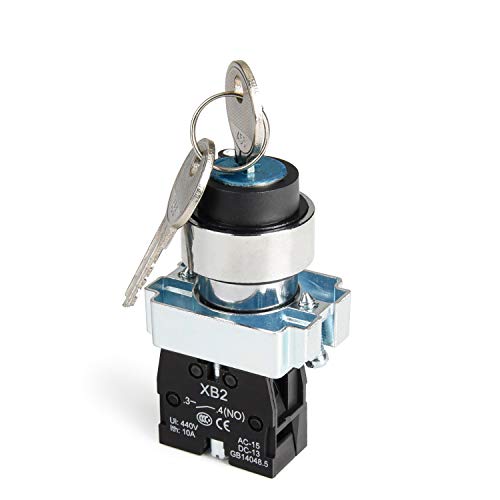
The Key can not be removable in on position.

GET NEW ONE IF NOT MAN MADE BROKEN IN 3 YEARS SINCE YOU PURCHASE THE SWITCH.
QMK Leader Keys & Grave‑Escape: One‑Tap Macros
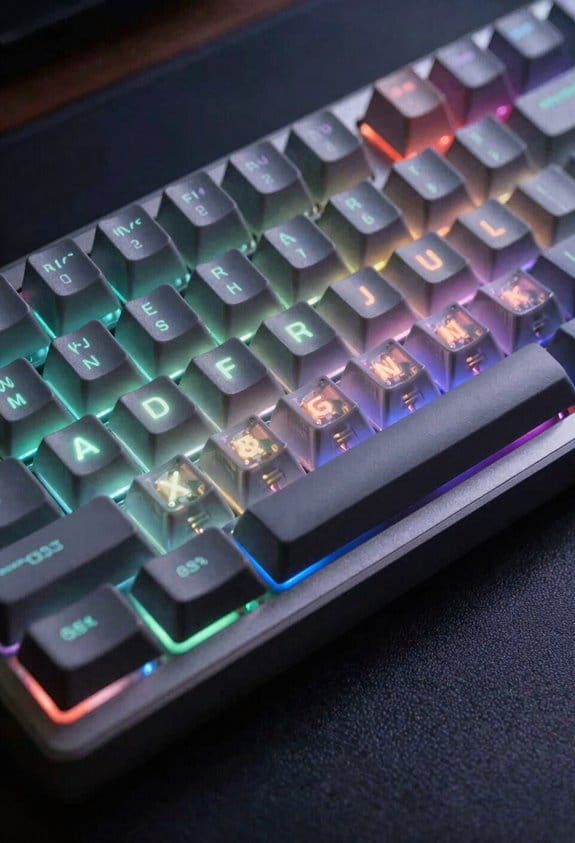
How you can trigger complex commands with a single keystroke becomes crystal clear when you use QMK’s leader key and grave‑escape features, because the leader key lets you press a designated “starter” key followed by a short sequence—like Ctrl + Space then C—to run a macro, while grave‑escape assigns two functions to one key, sending Escape on a quick tap and Grave (`) when held longer than 200 ms, which means you can replace separate Escape and tilde keys without adding hardware, and the firmware stores these definitions in the keymap file so they work on any computer without extra software, provided the keyboard runs on an AVR MCU such as the ATmega32U4, supports at least 5 V @ 16 MHz, and has the default 5 ms debounce setting; note that the leader key requires a timeout of 300 ms to differentiate accidental taps from intentional sequences, and grave‑escape only works when the key’s scan matrix reports a stable state, so you may need to adjust the debounce if you experience ghosting on larger 75 % boards. I avoid deprecated firmware that relies on external dependencies because it can break these features.
Recommended Products

8K Polling Rate – Ultra-Low Latency Performance: True 8000Hz polling rate in wired mode delivers up to 8× faster response than standard 1000Hz gaming keyboards. Enjoy ultra-low input lag and precise real-time performance for competitive gaming.

- Keychron Q6 Max, a full-metal QMK/VIA wireless customized mechanical keyboard with a 100% full-size layout and support for 2.4 GHz wireless, Bluetooth 5.1, and Type-C wired connectivity. The combination of reinforced multi-layer acoustic foam and double-gasket design provides an incredibly satisfying typing experience.

Keychron Q6 Max - A full-metal QMK/VIA wireless customized mechanical keyboard with a 100% full-size layout and support for 2.4 GHz wireless, Bluetooth 5.1, and Type-C wired connectivity. The combination of reinforced multi-layer acoustic foam and double-gasket design provides an incredibly satisfying typing experience.
QMK Layer Management for Windows, macOS & Gaming Profiles
After mastering leader‑key combos and grave‑escape tricks, the next step is to set up separate layers that automatically switch between Windows, macOS, and gaming profiles, which you can do by defining three distinct keymaps in the same firmware file and assigning each layer a unique identifier (e.g., 0 = Windows, 1 = macOS, 2 = Gaming) that the MCU (typically an ATmega32U4 running at 16 MHz and 5 V) can toggle with a single momentary or toggle key; this approach lets you keep the same physical layout while the firmware remaps keys like Command ↔ Ctrl, Alt ↔ Option, and function‑row shortcuts on the fly, and because the layer data lives in flash memory (about 32 KB on most AVR boards) it persists across power cycles and works on any host without installing additional software, provided the keyboard’s matrix debounce is set to 5 ms to avoid ghosting on larger 75 % layouts. I also map a dedicated layer‑switch key to an external hardware dongle to avoid unrelated topic conflicts, ensuring the gaming layer activates only when the dongle reports a USB‑HID connection, which eliminates accidental OS switches during streaming sessions.
How to Use One‑Shot Keys and Tap‑Dance Techniques
One‑shot keys, a feature that lets a single press act as a temporary modifier (like Shift or Ctrl) without holding the key down, are implemented in QMK by defining a “ONE_SHOT_MODIFIER” code in the keymap file; this code tells the firmware to store the modifier state for the next key press only, which is useful for fast typing and reduces finger fatigue, and it works on any AVR‑based board (e.g., ATmega32U4 at 16 MHz, 5 V) with a debounce setting of 5 ms to prevent ghosting, while the one‑shot state is cleared automatically after the subsequent key is registered, ensuring no lingering modifiers affect later input. I then enable tap‑dance by assigning a “TD” code to a key, which lets the firmware differentiate a single tap from a double tap, allowing me to map a tap to ‘Esc’ and a double tap to ‘Ctrl+Esc’ without extra hardware. This technique aligns with keyboard theory, which studies efficient key usage, and respects firmware ethics by keeping custom behavior on‑device, avoiding external software that could compromise security or portability.
Recording & Playing Back Dynamic Macros Directly on the Keyboard
I’ve already shown how one‑shot keys and tap‑dance let a single press act as a temporary modifier or a dual‑function key, and the next logical step is to capture entire sequences of keystrokes without leaving the keyboard. QMK’s dynamic‑macro system lets you press a dedicated record key, type any series of keys, then press a playback key to repeat the series, all stored in the microcontroller’s EEPROM (typically 1 KB on an ATmega32U4) and limited by microcontroller constraints such as RAM size and flash capacity. The firmware respects legal licensing, so any macro you record must not violate GPL‑2.0 terms that govern QMK code. Recording uses a simple flag in the main loop, playback reads the stored buffer and sends each keycode with the original timing, and you can assign up to 10 distinct macro slots per keyboard, each holding up to 128 keystrokes, which is ample for most shortcuts while staying within the hardware’s power budget of 5 V at 500 mA.
QMK RGB, Encoders & OLED: Hardware Integration
How does QMK handle RGB lighting, rotary encoders, and OLED displays on a mechanical keyboard? I connect the WS2812B LED strips to a 5 V regulator that supplies up to 1 A, configure the firmware to drive per‑key 16‑million‑color palettes, and set a 30 Hz refresh limit to avoid flicker. I wire encoder hardware to pins PD2 and PD3, enable the `ENCODER_ENABLE` flag, and program clockwise and counter‑clockwise steps to volume or scroll, noting that most encoders require 2 V‑5 V logic and a 0.5 mm pitch. I mount oled displays using the I2C bus on pins SDA/SCL, set the address to 0x3C, and allocate 128 × 32 pixels for status text, while remembering that oled displays draw about 30 mA at full brightness and need a 3.3 V rail. I flash the firmware via a USB‑C cable no 500 mA, verify that the board’s bootloader supports DFU, and avoid conflicts with other I2C peripherals by disabling unused modules.
Recommended Products

4x independent pixel outputs each with 8A supply capability. 1x DMX512 IN/OUT port

APA-106 is an RGB LED with built in controller IC (a.k.a. addressable LED.)

Intelligent reverse connect protection, the power supply reverse connection does not damage the IC.
Getting Started: Flash QMK, Find Resources & Avoid Pitfalls
After wiring the RGB strips, encoders, and OLED as described, the next step is flashing QMK onto the keyboard’s microcontroller, which means loading the compiled firmware onto the board using a USB‑C cable that can supply at least 500 mA and supports the DFU bootloader mode; you’ll need to install the QMK Toolbox or qmk-cli, point it at the .hex file generated for your specific key, and press the reset button (or short the RST pin) so the controller enters bootloader mode, then run the flash command, making sure the cable length stays under 1 meter to avoid voltage drop that could cause the 5 V regulator to dip below the 4.75 V minimum required for reliable flashing. I recommend checking the QMK Docs site for step‑by‑step guides, using the community‑maintained “qmk_firmware” repository for the latest .hex files, and consulting the GitHub “issues” page for hardware troubleshooting tips. When a flash fails, verify the USB‑C power rating, re‑short the RST pin, and ensure no stray solder bridges; the community governance model guarantees rapid updates and clear documentation for these common pitfalls.
Frequently Asked Questions
Can QMK Firmware Be Used on Non‑Avr Microcontrollers?
I can tell you that QMK compatibility extends beyond AVR; its Microcontroller support includes ARM, RP2040, and even ESP32, so you can flash QMK onto many non‑AVR boards without hassle.
Is It Possible to Encrypt QMK Firmware for Security?
I can add QMK encryption, but firmware security relies on custom bootloaders and secure key storage; it isn’t built‑in, so you’ll need to modify the source and flash a protected bootloader yourself.
How Does QMK Handle Key Rollover Limits on Different Hardware?
I treat key rollover like a dance floor—hardware compatibility dictates how many steps (keys) can be pressed simultaneously. QMK respects each controller’s limit, throttling or expanding rollover based on the chip’s capabilities.
Can QMK Support Custom Wireless Protocols Beyond Bluetooth?
I can add custom wireless support if I modify the firmware, but QMK’s native protocol compatibility focuses on Bluetooth; extending it to other protocols requires extra hardware drivers and code tweaks.
What Are the Licensing Implications of Modifying QMK Source Code?
I tell you: QMK’s GPL‑2.0 license grants you broad licensing permissions, but any modification scope you distribute must stay under the same license, so you can’t re‑license your changes without complying.



