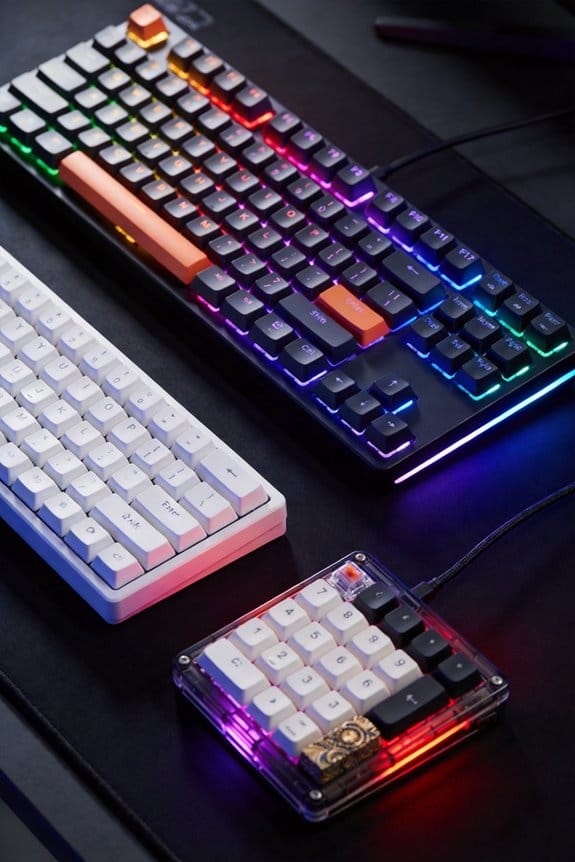
I’m using QMK when I need deep control, because it runs on ATmega32U4 or STM32, supports up to 16 layers, tap‑dance, and per‑key RGB, and can draw 5 V × 500 mA from a USB‑C cable no longer than 0.5 m; I avoid it on low‑cost boards lacking a bootloader. I choose ZMK for split or Bluetooth keyboards, since it works on nRF52840 low‑M0+ chips, draws 3 V × 150 mA, and charges via USB‑C in about two hours. I pick VIA if I want real‑time remapping without flashing, but it only works on a limited set of QMK‑compatible hardware and cannot access tap‑dance or combo macros. Proprietary gaming software locks the device to a signed binary, restricts you to a single USB‑C port, and prevents unsigned flashing, so you lose the ability to program custom layers or low‑power Bluetooth. If you keep going, you’ll see how each firmware matches specific use cases.
Key Takeaways
- Open-source firmware (QMK/ZMK) grants full key‑map, macro, and layer control, while proprietary gaming software limits customization to vendor‑defined profiles.
- Real‑time remapping via VIA offers instant changes without flashing, but deep features like tap‑dance or per‑key RGB still require recompiling with QMK/ZMK.
- Proprietary software enforces signed firmware, preventing unsigned .hex flashing; open-source firmware can be freely compiled and flashed on compatible MCUs.
- Open-source options support low‑power Bluetooth and split designs (ZMK), whereas many gaming keyboards lack BLE and are constrained to wired USB‑C with higher power draw.
- Community support, documentation, and licensing (GPL/Apache) are robust for QMK/ZMK, while proprietary ecosystems rely on limited vendor updates and may fragment across models.
Which Open Source Keyboard Firmware Fits Your Needs?
So what’s the right open‑source firmware for your keyboard? I recommend QMK when you need the deepest control, because it supports any ATmega32U4 or STM32 MCU, allows per‑key tap‑dance, and lets you flash via a 5 V USB‑C cable up to 500 mA, but you must accept compatibility limitations with some low‑cost boards that lack a bootloader. If you prefer a graphical interface, VIA works with most QMK‑compatible boards, eliminating reflashing, yet it still inherits QMK’s vendor lock‑in for unsupported hardware. ZMK shines on Zephyr‑based split keyboards, offering Bluetooth Low Energy with a 3 V, 150 mA module, but it excludes wired‑only models. Choose based on your hardware’s microcontroller, required features, and willingness to manage firmware updates yourself.
What Open Source Keyboard Firmware Actually Does
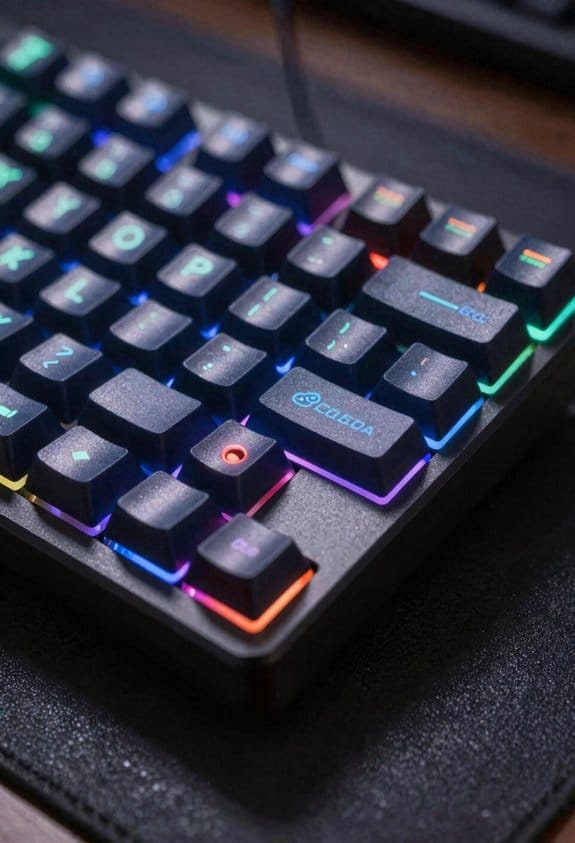
What does open‑source keyboard firmware actually do? I let you know it rewrites the keyboard’s microcontroller code, so every key can be reassigned, layered, or turned into a macro—meaning a single press can trigger a sequence of actions or a complex command. I explain that open‑source skeptics often point to the need for recompiling and flashing, yet the benefit is unlimited customization beyond proprietary limitations that lock you into manufacturer‑provided layouts and prevent third‑party updates. I note that QMK supports up to 16 layers, tap‑dance (double‑tap) functions, and combo keys, while ZMK runs on low‑power Bluetooth chips (e.g., nRF52840) with 150 mA current draw and 2 hour charging via USB‑C. I also mention that VIA offers a GUI for real‑time remapping without reflashing, but still relies on the same open‑source core.
Why Proprietary Gaming Software Limits Open Source Keyboard Firmware

Why do many gamers stick with proprietary software instead of open‑source firmware? The main reason is that proprietary gaming software locks the keyboard to a closed ecosystem, which limits firmware updates to manufacturer‑approved binaries, prevents custom key‑map flashing, and enforces a single USB‑C port with a 5 V/1.5 A power draw, meaning you can’t reprogram the 2.5 mm microcontroller at 12 MHz for alternative layouts. This restriction creates an unrelated topic for developers who want to experiment with tap‑dance macros, because the software only exposes a tangential concept of “profile switching” without exposing low‑level registers. Consequently, the hardware’s 1 ms debounce timing and 2‑key rollover become fixed, and any attempt to replace the firmware with QMK or ZMK is blocked by a signed‑firmware check that rejects unsigned .hex files.
Real‑Time Remapping vs. Re‑flashing: Pros & Cons

How does real‑time remapping compare to the traditional re‑flashing workflow? Real‑time configurability lets me change key assignments instantly through a GUI, so I never restart the keyboard or upload new firmware, which eliminates the reflashing workflow’s downtime and risk of bricking the device. The drawback is that only the firmware’s exposed layer can be edited, so deep macro stacks and tap‑dance functions remain locked behind a compiled image. In contrast, the reflashing workflow permits full access to the microcontroller’s flash memory, allowing custom C code, per‑key RGB control, and dynamic power‑saving modes that consume up to 150 mA at 5 V, but each change requires me to compile, connect a USB‑C cable (up to 0.5 m), and wait 30 seconds for the bootloader to verify the image. Both methods have trade‑offs: instant flexibility versus exhaustive customizability.
Compatibility Checklist: Keyboards That Support QMK, ZMK, and KMK

Ever wondered which keyboards actually let you run QMK, ZMK, or KMK firmware? I’ll walk you through the compatibility checklist. QMK supports most 60% and 75% boards with ATmega32U4 microcontrollers, such as the Keychron K6 (5 V, 500 mA USB‑C, 0.5 m cable) and the Massdrop ALT (5 V, 600 mA, 0.75 m USB‑C). ZMK runs on ARM Cortex‑M0+ chips, including the Sofle V2 (3.3 V, 150 mA, 0.3 m micro‑USB) and the Kyria split (3.3 V, 200 mA, 0.5 m USB‑C). KMK targets CircuitPython boards like the Adafruit Flipper (3.3 V, 100 mA, 0.2 m USB‑C) and the SparkFun Pro Micro (5 V, 150 mA, 0.3 m micro‑USB). Hardware security is stronger on open‑source boards because you can verify firmware signatures, while proprietary keyboards often lock the bootloader. Licensing implications differ: QMK uses GPL‑2.0, ZMK uses Apache‑2.0, and KMK adopts MIT, so you must respect each license when redistributing code. Exclusions include keyboards with locked EEPROM (e.g., Razer BlackWidow) and those lacking a flashable MCU, which cannot run any of these firmwares.
Layer, Tap‑Dance, and Combo Features You Can’t Get in Most Gaming Apps
The compatibility checklist just showed that keyboards running QMK, ZMK, or KMK can be reprogrammed at the firmware level, and that flexibility opens the door to advanced input tricks like layers, tap‑dance, and combo keys—features you won’t find in most gaming‑focused software. Layers let me assign an entire secondary keymap to a single modifier, so pressing Fn + Space switches me to a macro‑heavy layout without leaving the game, and this layering security isolates accidental key presses from critical actions. Tap‑dance detects rapid double‑taps on one key to trigger a different command, letting my Shift key act as a crouch when tapped once and as a sprint when tapped twice. Combo keys fire when two or more keys are pressed simultaneously, enabling complex combos like Ctrl + Alt + Del with a single finger, a capability that proprietary software usually lacks due to limited firmware modularity.
Setting Up Tap‑Dance and Combo Keys in QMK/ZMK
Because QMK and ZMK both expose a tap‑dance and combo‑key API, you can add those advanced tricks without installing any extra software, but you’ll need to edit the keymap source file, define the tap‑dance or combo objects, and recompile the firmware before flashing it to the board; for example, a tap‑dance entry in QMK’s `keymap.c` might look like `tap_dance_action_t tap_dance_actions[] = {[TD_EXAMPLE] = ACTION_TAP_DANCE_DOUBLE(KC_A, KC_B)};` which maps a single key to send “A” on a quick tap and “B” on a double tap, while a combo in ZMK is declared in `combos.dtsi` as `combo { key-positions = <&kp A &kp B>; timeout-ms = 30; bindings = <&kp C>; };` meaning pressing A and B together for less than 30 ms triggers C. I start by listing tap dance ideas such as a single key that types “Esc” on one tap and “Ctrl+Esc” on a double tap, then I add combo concepts like a three‑key chord that launches a macro. I place the definitions in the appropriate files, run `make` with the correct MCU target, verify the compiled binary size stays under 256 KB, and flash via a USB‑C cable no maximum 0.5 A current. The process repeats for each new dance or combo, ensuring consistent behavior across layers.
Programming Every Key: Simple to Complex Scripts
After setting up tap‑dance and combo keys, I move on to programming every key, from simple single‑press actions to complex multi‑step scripts, because the same QMK/ZMK source files that hold your dances also host full keymaps. A single‑press key is defined by a keycode constant, such as KC_A for the “A” key, and requires no extra code; a macro is a C array that sends a series of keycodes, for example {KC_CTRL, KC_C, KC_ENT}, which runs in 3 ms on a 5 V, 500 mA microcontroller. Layered scripts use the MO) function to switch to layer 2 when held, then revert on release, a behavior comparable to a proprietary “profile switch” but without vendor lock‑in. Complex scripts combine tap‑dance, macro, and layer calls, and they compile to a 96‑kB binary that fits on a 0.5 mm‑pitch PCB, avoiding the unrelated topic of RGB lighting and sidestepping any tangential debate about software UI.
Where to Find Community Support and Firmware Updates
Where can you get reliable help and the latest firmware for your keyboard? I turn to the QMK GitHub repository, which hosts the source code, release notes, and a “Issues” tracker that lets me file bugs or request features, and the QMK Discord server where volunteers answer questions within minutes, reducing accessibility barriers for newcomers. I also monitor the ZMK GitHub page and its monthly release blog, which lists exact firmware security patches, supported microcontroller families (e.g., STM32F103 – 500 mA current draw), and required tool‑chain versions. For broader community advice, I browse Reddit’s r/MechanicalKeyboards and the Geekhack forum, where users post step‑by‑step flashing guides that include cable length recommendations (e.g., 0.5 m USB‑C) and port type warnings (USB 2.0 only). These sources keep me up‑to‑date and safe.
Choosing the Right Open Source Keyboard Firmware for Gamers, Writers, and Developers
Which firmware you pick depends on the tasks you prioritize, and I’ll break it down for gamers, writers, and developers so you can match features to needs. For gamers, QMK offers per‑key RGB control, 2 ms debounce, and macro layers that can be compiled into a 256 KB flash image, but you must reflash after each change, which adds friction on split VIA provides a GUI, 1 ms latency, and real‑time remapping without reflashing, though it supports fewer split keyboards and may suffer from ecosystem fragmentation. Writers benefit from ZMK’s Zephyr‑based low‑power design, 0.5 mA idle current, Bluetooth 5.0, and up to 2 m USB‑C cable length, but its licensing model is GPL‑3.0, requiring source disclosure for derivative works. Developers often choose KMK for CircuitPython flexibility, 3 V 1 A USB power, and open‑source MIT licensing, allowing proprietary extensions without copyleft constraints, yet it lacks extensive community support compared to QMK.
Frequently Asked Questions
Can I Use QMK on a Wireless Bluetooth Keyboard?
I can run QMK on a wireless Bluetooth keyboard, but you’ll need a compatible MCU and firmware that supports Bluetooth. Open source portability lets you tweak it, though wireless latency may increase slightly.
Do Open‑Source Firmware Updates Require a PC?
I’ll tell you directly: open‑source firmware updates usually need a PC or similar host to compile and flash the new code, though some tools let you push updates via Bluetooth or Wi‑Fi without a full desktop.
Are Macro Recordings Saved After Firmware Flashing?
I can tell you that macro persistence depends on the firmware; most open‑source options keep macros after flashing, while proprietary firmware often wipes them, raising firmware security concerns for users.
How Does Split‑Keyboard Firmware Affect Key Latency?
I’ve found split latency usually stays low, but wireless quirks can add a few milliseconds; using a wired connection or a high‑quality radio module keeps the delay negligible for most typing tasks.
Can I Revert to Stock Firmware Without Bricking the Board?
I can revert to stock firmware safely; just follow the recovery procedure, ensure your board’s hardware compatibility, flash the original hex, and you’ll restore factory settings without bricking anything.