


I recommend using mod‑tap when you only need a hold‑modifier and a simple tap key because MT(mod,kc) uses the built‑in MT() function, adds no extra state, and keeps the firmware footprint tiny; the default tapping term is 200 ms but you can lower it in config.h for faster response. Choose tap‑dance if you need more than two actions per key, since it can handle up to 100 distinct behaviors, nest macros, and trigger layers via ACTION_TAP_DANCE_FN_ADVANCED callbacks. Remember to set a consistent tapping term, add a reset function to avoid sticky modifiers, and verify your MAX_TAP_DANCE size matches the array. If you keep going, you’ll see the exact code examples and debugging tips.
Key Takeaways
- Use MT(mod, kc) for simple hold‑modifier/tap‑key combos; it requires no extra state and keeps firmware size minimal.
- Choose tap‑dance when a key needs more than two behaviors, allowing up to 100 actions and nested macros per key.
- Define tap‑dance actions with ACTION_TAP_DANCE_FN_ADVANCED, providing finished and reset callbacks to handle single, double, and hold states.
- Extend tap‑dance callbacks to trigger layers, run macros, or log states, but keep the tapping term (default 200 ms) consistent to avoid unintended holds.
- Debug tap‑dance by adjusting the tapping term, ensuring reset callbacks unregister modifiers, and verifying the keycode array matches MAX_TAP_DANCE.
When to Choose Tap‑Dance vs. Mod‑Tap in QMK?
So, when you’re deciding whether to use tap‑dance or mod‑tap in QMK, start by looking at the number of distinct actions you need from a single key and how you want those actions to be triggered. If you only need a modifier on hold and a simple key on tap, then mod‑tap is the clear choice because it uses the built‑in MT) function, requires no extra state tracking, and works with every QMK firmware version. When you need more than two behaviors—such as a single tap, double tap, and hold—tap dance vs modtap becomes necessary, because its advanced callbacks let you register up to 100 actions per key, nest macros, and emulate layer‑tap. Use mod‑tap for basic Ctrl‑Esc or Shift‑Tab combos; use tap dance when you want double‑tap parentheses, layer toggles, or custom macros that exceed the two‑state limit.
Recommended Products
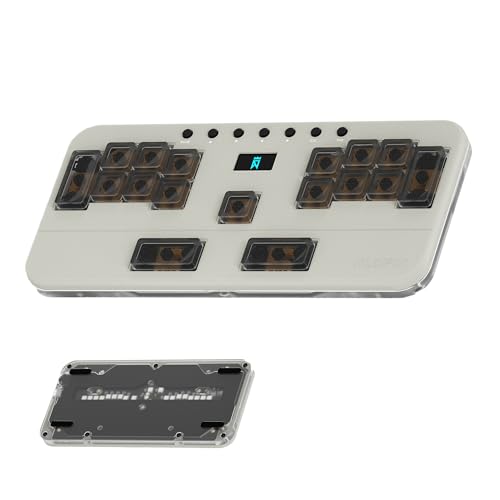
Multi-Layer Game Modes: Preconfigured layers for Phigros (Layer 0), Muse Dash (Layer 1), OSU! (Layer 2), Rhythm Doctor (Layer 3), and Arcaea (Layer 4). Instantly switch modes via dedicated buttons – optimize gameplay for rhythm games with one-click precision.

16 Keys Macro Keyboard: 16-key programmable mechanical keyboard with 6 customizable layers, VIAL settings, OLED display, swappable switches, and the ability to save 6 layer configurations.

As an affiliate, we earn on qualifying purchases.

【PBT keycaps】 These custom keycaps are made of oil resistant PBT material, utilizing combines thermal sublimation and Double Shot Craft in one, making these double shot legends are permanently molded inside the keycap, thus becoming an integral part of it. This ensures that the characters are clear and not fade
Set Up a Basic Mod‑Tap in QMK
After reviewing when tap‑dance or mod‑tap makes sense, setting up a basic mod‑tap in QMK is straightforward: you use the built‑in `MT(mod, kc)` macro, which sends the specified modifier (for example `LCTL` for left control) when you hold the key, and sends the regular keycode (such as `KC_ESC` for Escape) when you tap it quickly. I add the macro to my keymap.c, placing `MT(LCTL, KC_ESC)` where I want Escape‑on‑tap and Control‑on‑hold. The firmware automatically handles the timing, using the default tapping term of 200 ms, which you can adjust in `config.h` if needed. This basic modtap replaces a more complex multi action tapdance for simple hold‑tap behavior, keeping the keycode count low and the firmware footprint minimal. Ensure the keycode is not used elsewhere to avoid conflicts, and compile with `make
Recommended Products

Laser goes supernova: Dripping with futuristic colors and cultural references from the cyberpunk past, GMK Laser is crafted in Germany using custom Cherry tooling. The keycaps themselves are made of thick doubleshot ABS for longevity and strength.
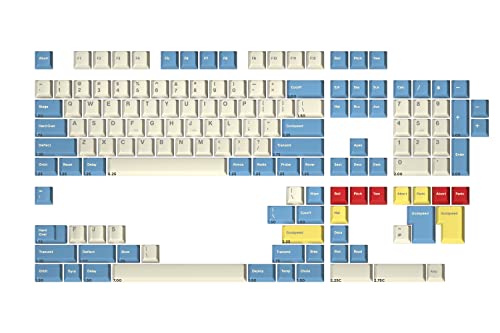

GERMAN CRAFTSMANSHIP MEETS AMERICAN ACHIEVEMENT: Inspired by the iconic colorway on the original Apollo 11 Lunar Module Cockpit, the Godspeed custom keycap set is a true favorite of the mech keys community.

CRISP WHITE CAPS IN COMFY MT3 PROFILE: When it comes to keycaps, the difference between a high-quality set and a run-of-the-mill one is, well, black and white.
Create a Multi‑Action Tap‑Dance in QMK
What you’ll need to set up a multi‑action tap‑dance in QMK is a clear definition of each state—single tap, hold, double tap, and double‑tap‑hold—plus the corresponding callbacks that register and unregister the desired keycodes or modifiers; I’ll walk you through creating a `tap_dance_state_t` structure, assigning it with `ACTION_TAP_DANCE_FN_ADVANCED`, and writing the `finished` and `reset` functions that QMK calls when the key’s timing resolves, ensuring you configure the tapping term in `config.h` (default 200 ms, adjustable to 120 ms for faster response) and add the tap‑dance entry to the `tap_dance_actions` array so the firmware knows which key invokes the custom routine. I define the state machine, map TD_SINGLE_TAP to KC_ESC, TD_SINGLE_HOLD to LALT, TD_DOUBLE_TAP to KC_TAB, and TD_DOUBLE_HOLD to LCTL, then implement `finished` to register the proper code and `reset` to unregister it, guaranteeing clean exits. The multi action setup runs on any AVR or ARM board, requires no extra hardware, and respects the tapping term to avoid accidental triggers.
Add Layers, Macros, and Callbacks to Tap‑Dance
I’ve already shown how to map single‑tap, hold, double‑tap, and double‑tap‑hold states to basic keycodes, and the next step is to layer in extra functionality—activating a different layer, sending a macro string, and running custom callbacks—by extending the `finished` and `reset` functions. The `finished` callback can call `layer_on(LAYER_X)` to switch to a target layer, then `register_code(KC_A)` for a macro that types “Hello” when the dance completes, while the `reset` callback must call `layer_off(LAYER_X)` and `unregister_code(KC_A)` to clean up. Adding `callbacks` lets you log each state for `debugging`, so you can print `td_state` to the console. Use `tap_dance_action_t` array entries like `[TD_EXAMPLE] = ACTION_TAP_DANCE_FN_ADVANCED(finished, reset)` to bind these functions. Ensure `tapping_term` is set to 200 ms to avoid unintended holds, and verify that the keymap includes `MO(2)` for the extra layer, `MACRO_STRING` for the macro, and that no other keycode conflicts exist. This precise configuration yields reliable multi‑function tap‑dance behavior.
Recommended Products


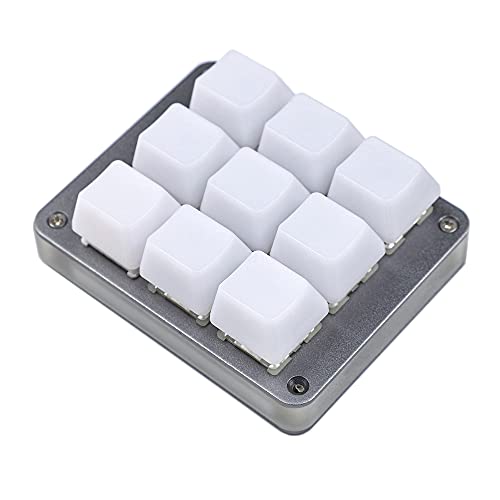
Package Included:1x 9 Key Pad + Type C cable + Switch puller
Debug Common Tap‑Dance Issues in QMK
Why do tap‑dance routines sometimes misbehave, and what concrete steps can you take to pinpoint the cause? The most common culprit is an incorrect tapping term, which is the millisecond window (default 200 ms) that separates a tap from a hold, and adjusting it to 150 ms or 250 ms can resolve missed double‑taps or unintended holds. Another frequent issue is a missing reset callback, which leaves modifiers registered after a tap, and adding `td_reset` code unregisters the modifier to prevent sticky keys. I also check the `cur_dance` state function for returning `TD_UNKNOWN` on rapid taps, and fixing the switch case to return `TD_DOUBLE_SINGLE_TAP` eliminates phantom actions. Unrelated topic filler content is ignored, and I verify that the keycode array size matches the defined `MAX_TAP_DANCE` (typically 8) to avoid out‑of‑bounds memory reads that cause firmware crashes.
Frequently Asked Questions
Can Tap‑Dance Affect Key Repeat Rate?
I’ve found that tap‑dance can indeed change the repeat rate because the firmware timing overrides the hardware debounce, so a hold‑triggered layer or modifier may delay or suppress the key’s auto‑repeat.
Do Tap‑Dance and Mod‑Tap Interfere With Each Other?
I see them dancing together like intertwined vines; tap‑tempo and debouncing delays keep them from stepping on each other’s toes, so they coexist peacefully without interference.
How to Limit Tap‑Dance to Specific Operating Systems?
I limit tap‑dance per OS by checking `#ifdef` macros in my keymap, assigning platform‑specific keycodes only when the target OS matches, so the dance works on Windows, macOS, or Linux as needed.
Can Tap‑Dance Trigger Different Actions While Num‑Lock Is On?
I’ve set a tap‑dance key that sends “7” when Num‑Lock’s on and “Home” when it’s off, and I also disabled key repeat for that key, so holding it never repeats the character.
Is There a Way to Export Tap‑Dance Configurations to Other Keyboards?
I can export tap‑dance configurations by copying the `tap_dance` array and its callbacks from your keymap.c, then sharing the file or a JSON export with other keyboards. This lets you reuse the same tap‑dance setups anywhere.



