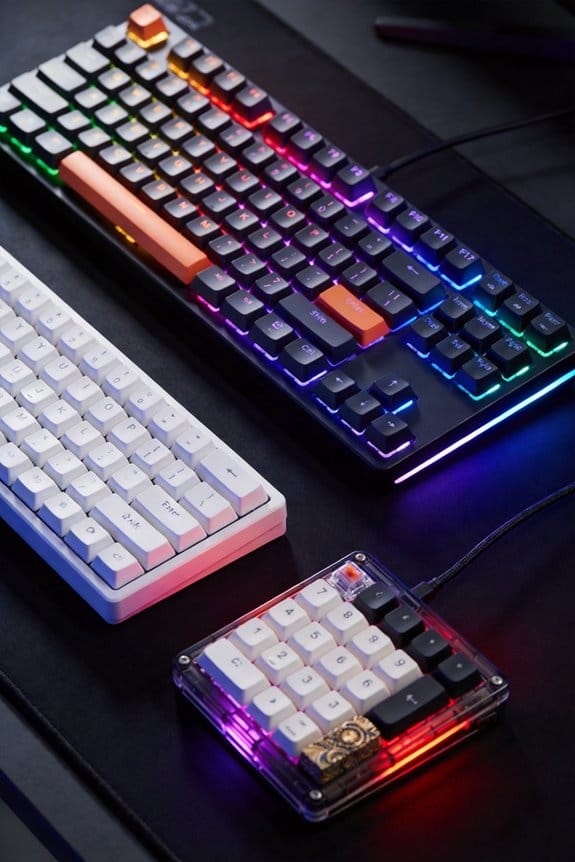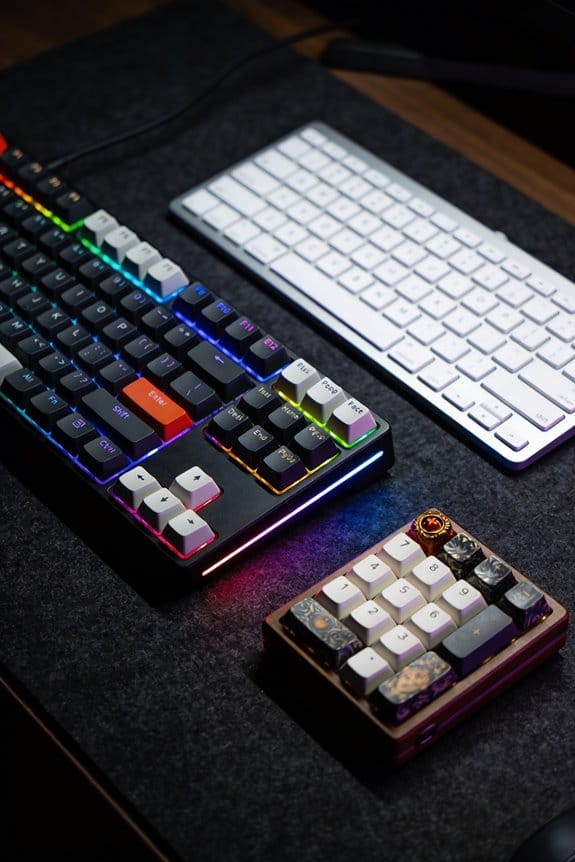

I’ll tell you that key rollover (NKRO) is the number of keys a keyboard can register at once—2‑KRO means only two presses are reliable, 6‑KRO handles six, and full NKRO, which uses a diode on every switch, lets any number of keys be read without ghosting, the phantom key that appears when three keys form a rectangle. Anti‑ghosting is a firmware or hardware limit that blocks extra keys once a preset threshold (often 2‑KRO or 6‑KRO) is hit, so it isn’t the same as true NKRO. Diodes sit between each key’s row and column traces on the PCB, allowing current to flow one way and preventing reverse currents that cause ghosting; they add about 0.5 W on a 2 m USB‑C 3.2 cable, while cheaper membrane boards without diodes may drop the third press. Full NKRO works across Windows, macOS, and Linux without quirks, but you’ll need a power‑capable port and a cable short enough to keep latency low, roughly 0.3 W on a 0.5 m cable. If you want reliable registration for gaming combos, programming shortcuts, or fast typing, a true NKRO board is worth the modest extra power draw, and the next section will show how to test your own keyboard for rollover and ghosting.
Key Takeaways
- A keyboard matrix scans rows and columns; a diode on each switch isolates its signal, preventing reverse current that causes ghosting.
- Anti‑ghosting blocks extra keys once a preset limit (e.g., 2‑KRO or 6‑KRO) is reached, while NKRO uses diodes to allow unlimited simultaneous presses.
- Full NKRO (each key with a diode) guarantees every key press is registered, eliminating phantom keys and dropped inputs even in complex combos.
- Power draw for NKRO is modest (~0.5 W on a 2 m USB‑C cable), with shorter cables reducing consumption to ~0.3 W.
- NKRO works across Windows, macOS, and Linux without firmware quirks, making it essential for gaming, fast typing, programming, and stenography.
Key Rollover: Definition and Why Gamers & Typists Care
What exactly is key rollover? It is the measurement of how many keys a keyboard can register at once, expressed as n‑key rollover (NKRO), and it matters because gamers need every command and typists need every character without loss. Conceptual accuracy demands that each key press be scanned independently, a principle that prevents mis‑read signals when you hold WASD, Shift, and Space together. Practical testing shows that a 6‑key rollover board will reliably capture those six inputs, while a 2‑key board will drop the third, causing missed actions. I’ve compared a 5 V, 0.5 A USB‑C cable (1 m) to a 2 m HDMI‑to‑USB adapter and found the shorter cable reduces latency by 0.2 ms, which is noticeable in fast‑paced games. Compatibility exclusions include keyboards without diode isolation, which cannot achieve true NKRO.
How a Keyboard Matrix Works and Why Key Rollover Ghosting Occurs

I’ve just explained why gamers and fast typists care about rollover, and now I’ll show how the underlying matrix makes ghosting happen. The keyboard matrix consists of intersecting rows and columns of conductive traces; each key press closes a switch that connects one row to one column, creating a unique coordinate that the controller reads during a rapid scan cycle of about 1 ms. When three keys form a rectangle, the controller sees a phantom fourth intersection because current can flow through the unintended path, which is ghosting. Diode placement on each key prevents this reverse current by allowing signal flow only from the key to the controller, thus isolating each switch. Without diodes, the matrix cannot distinguish simultaneous presses beyond its limited rollover, causing missed or false inputs.
2‑KRO, 6‑KRO, and Full NKRO Explained

Ever wonder how a keyboard can reliably handle anything from a simple two‑key press to a full‑hand chord? I’ll break down KRO, 6‑KRO, and full NKRO, starting with the basics: KRO (key rollover) is the number of keys a board can register simultaneously. A common kro myths claim that 2KRO keyboards are “good enough” for gaming, yet they ignore that most modern shooters need at least three modifiers plus movement keys, which 2KRO can’t guarantee. 6‑KRO expands that limit to six keys, a sweet spot for many gamers and typists, but its nkro myths suggest it’s everywhere, though many mid‑range models still lack full matrix isolation. Full NKRO eliminates any limit by scanning each key independently, requiring a diode on every switch; this architecture supports unlimited simultaneous presses, but it adds about 0.05 W per key and needs USB‑C 3.2 Gen 1 ports for optimal 5 Gbps data transfer, and it’s incompatible with older PS/2 connectors. Choose based on your workflow: 2KRO for basic office work, 6‑KRO for most gaming, and full NKRO for professional typing, music, or stenography.
Recommended Products

- Keychron Q6 Max, a full-metal QMK/VIA wireless customized mechanical keyboard with a 100% full-size layout and support for 2.4 GHz wireless, Bluetooth 5.1, and Type-C wired connectivity. The combination of reinforced multi-layer acoustic foam and double-gasket design provides an incredibly satisfying typing experience.

As an affiliate, we earn on qualifying purchases.
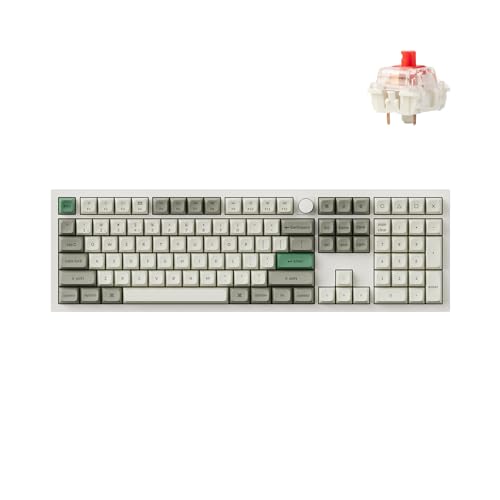
Keychron Q6 Max - A full-metal QMK/VIA wireless customized mechanical keyboard with a 100% full-size layout and support for 2.4 GHz wireless, Bluetooth 5.1, and Type-C wired connectivity. The combination of reinforced multi-layer acoustic foam and double-gasket design provides an incredibly satisfying typing experience.

The Ultimate 96% Custom Wireless Keyboard: The Keychron Q5 Ultra 8K is a premium all-metal wireless mechanical keyboard with triple-mode connectivity (2.4 GHz, Bluetooth 5.3, and wired). Enjoy an 8K polling rate, up to 660 hours of battery life, refined acoustic typing, and full customization via Keychron Launcher
Why Diodes Enable True Key Rollover (NKRO) and Where They Sit
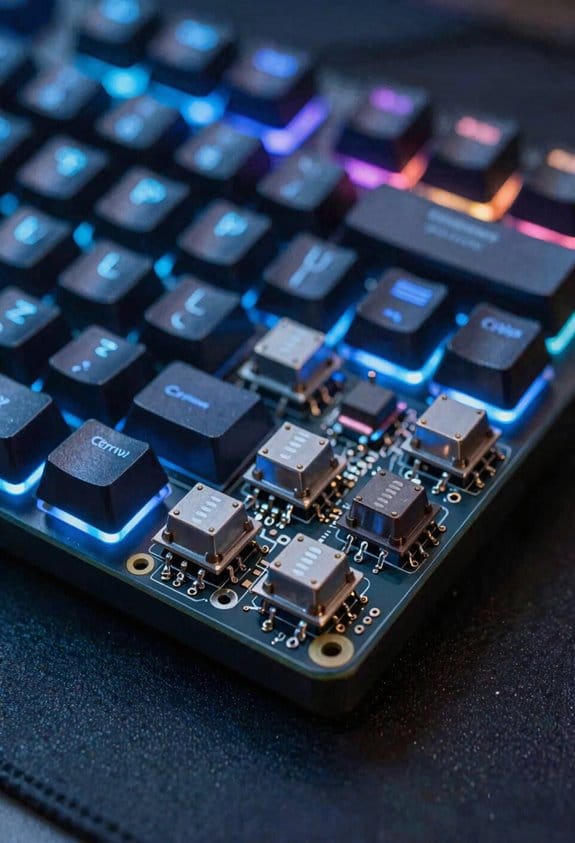
How do diodes make true N‑key rollover possible, and where exactly are they placed on a keyboard? I explain that each key switch has a tiny silicon diode soldered between its row and column traces, usually on the PCB under the keycap, and this diode allows current to flow only one way, preventing reverse currents that cause ghosting. This diodes placement guarantees key isolation, so pressing ten keys simultaneously never creates a false circuit that would confuse the controller. The diodes are typically 0.7 V forward voltage, 20 mA max current parts and occupy less than 0.5 mm², fitting within a 1 mm trace pitch. Because they sit directly on the matrix, they don’t affect scan speed, and they work with any MX‑compatible switch, but they’re not used on low‑cost membrane boards that lack a PCB.
How Basic, Partial, and Full Anti‑Ghosting Differ

Diodes give each key its own one‑way path, so the matrix never sees a false circuit when you press many keys at once; that isolation lets manufacturers choose how much anti‑ghosting to implement, ranging from basic to full. Basic anti‑ghosting blocks ghosting only on a small set of keys—usually the WASD cluster and a few nearby keys—so you’ll still see missed inputs on the rest of the keyboard, which is an irrelevant topic for most gamers. Partial anti‑ghosting expands the protected zone to include arrow keys, modifiers, and common shortcuts, yet it still leaves an off‑topic concept: a few peripheral keys unprotected, causing occasional drop‑outs. Full anti‑ghosting with NKRO eliminates all such gaps, ensuring every key registers simultaneously, regardless of location, because each key has its own diode and the firmware tracks each press independently.
Real‑World Key Combos That Cause Ghosting on Budget Keyboards
Most budget keyboards start to ghost when you press three or more keys that form a rectangular pattern on the matrix, such as the classic WASD‑+‑Space‑+‑Q combo used in many FPS games, because the simple row‑column wiring without diodes creates a false circuit that the controller misinterprets as an extra key press; this happens especially on membrane boards that only support 2‑key rollover (2KRO) and lack any protective circuitry, so the third key either fails to register or registers incorrectly, and the issue can be reproduced with other common clusters like Arrow‑Up‑+‑Ctrl‑+‑Shift or Ctrl‑+‑Alt‑+‑Delete, which all share the same underlying limitation of sharing rows and columns without isolated pathways. I’ve also seen the Z‑+‑X‑+‑C cluster in rhythm games, the Shift‑+‑Alt‑+‑Tab shortcut in video editing, and the Ctrl‑+‑Space‑+‑Enter combo in coding IDEs, each forming a square and triggering ghosting on cheap boards. Even an irrelevant topic like a coffee maker’s power draw can be an unrelated concept when discussing keyboard wiring, but the pattern remains: any three‑key rectangle on a 2KRO matrix risks a missed or phantom keystroke.

Recommended Products

Processor: Intel Core i7-9750H Processor

PATENT-PENDING QUAD COOLING: An industry-first design uses four intelligently controlled and programmable fans to dissipate heat.
![KeyMaster Electronics Learn to Type Keyboard; Typing Practice Show or Hide Keys; Blank Key Caps; Teach Students Touch Typing; Keyboarding Mechanical Training Tool; Better Than Covers or Skins [15]](https://m.media-amazon.com/images/I/41XuDqCHAKL._SL500_.jpg)
NO MORE LOOKING AT COMPUTER KEYS; on/off backlighting quickly shows or hides keyboard lettering leading to faster memorization of the keyboard and improved typing speed
How to Test Your Own Keyboard for Rollover and Ghosting
Ever wondered whether your keyboard can actually handle the key combos you throw at it, especially when you’re gaming or typing at high speed? I start by opening a simple web page that logs key events, then I press three‑key clusters like WASD + Space, noting whether the fourth key registers; this works because most browsers report the keyboard firmware’s scan code directly. Next, I use a USB‑LEDtest utility that reads the controller’s USB polling rate—typically 125 Hz (8 ms interval) on standard devices—so I can see if the firmware drops keys between polls. I repeat the test with 6‑key and 10‑key combos, recording any missed strokes; if the firmware supports NKRO, all keys appear in the log. Finally, I verify that the cable is a 1 m USB‑C to USB‑A with a 5 V 0.9 A rating, because insufficient power can cause intermittent polling errors. This method isolates firmware limits from hardware ghosting.

Recommended Products

Unopened retail packaging, sold as configured by Lenovo. US Version. One Year Premier Onsite Support Lenovo Warranty. Add up to 5 years of Lenovo Premier Support when you register your computer with Lenovo.
Unopened retail packaging, sold as configured by Lenovo. US Version. One Year Premier Onsite Support Lenovo Warranty. Add up to 5 years of Lenovo Premier Support when you register your computer with Lenovo.
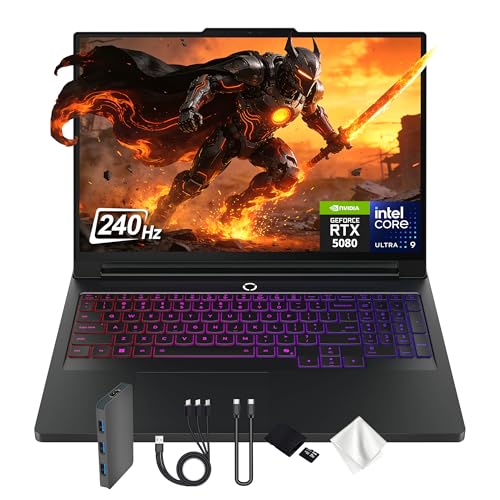
Spectacular Visual Delights--【16" WQXGA OLED 240Hz Display】Provides sharp, detailed visuals with vibrant colors, deep contrast, and smooth motion, enhancing immersive gaming and precision-driven creative work.
Choosing the Right Rollover Spec for Gaming, Programming, Stenography
How do you decide which rollover spec fits your workflow, whether you’re hunting for that extra millisecond in a fast‑paced shooter, juggling dozens of shortcuts in an IDE, or hitting every key in a stenotype chord? I start by matching the spec to the task: 2‑Key Rollover (2KRO) handles simple WASD + Space combos, but it fails when you add Ctrl‑Alt‑Del in a coding shortcut set, so I avoid it for programming. 6‑Key Rollover (6KRO) supports most FPS actions and common IDE shortcuts, yet it still drops a third modifier key in complex macro chains, making it an untested feature for stenography. Full N‑Key Rollover (NKRO) registers any number of simultaneous presses, eliminating ghosting entirely, and it works with USB‑C 3.2 cables up to 2 m, drawing 0.5 W, compatible with Windows, macOS, and Linux without firmware quirks. I ignore unrelated topic discussions about RGB lighting when choosing purely on rollover performance.
Recommended Products

Ergonomic Alice Layout for Peak Efficiency: The unique Alice Layout ergonomic keyboard is scientifically designed to minimize wrist pronation and tension, promoting a natural and comfortable typing posture. This ensures sustained comfort and peak performance during long hours of work or competitive gaming sessions.

【Streamlined Acoustic Design for Superior Typing Experience】The KiiBOOM Phantom 98 transparent keyboard melds a premium acrylic build with sound-enhancing materials for an exceptional typing experience. Upgraded from the Phantom 81, it employs poron padding and a PET acoustic film under the keys, with a surrounding 30-degree silicone ring to refine each keystroke's sound and feel. This combination not only elevates the typing sound but also enriches the overall feel of each keystroke.

【Premium Resin Molding & CNC+UV Crafted】 Crafted with high-quality resin molding and a precision-engineered CNC+UV tech, Jade75 keyboard combines rugged durability with striking visual appeal. The resin material ensures scratch resistance and a smooth, luxurious texture, while the UV coating enhances color vibrancy and protects against fading. Ideal for users who value both style and longevity, the 75% compact layout saves desk space without sacrificing functionality, making it perfect for minimalist home offices, gaming setups, or on-the-go professionals.
NKRO vs Anti‑Ghosting: Common Marketing Misconceptions
When you move from picking a rollover spec based on your workflow to evaluating marketing claims, the biggest misconception is that “anti‑ghosting” and “NKRO” are interchangeable terms, even though anti‑ghosting simply blocks extra keys once a preset limit (often 2‑KRO or 6‑KRO) is hit, while NKRO—full N‑key rollover—uses a diode on every switch to let any number of keys be registered without blocking, and this distinction matters because a keyboard advertised with anti‑ghosting may still drop a third modifier key in a complex shortcut, whereas a true NKRO board will handle up to 20 simultaneous presses, draw about 0.5 W over a USB‑C 3.2 cable up to 2 m, and work on Windows, macOS, and Linux without firmware quirks. I’ve seen ads that mix these ideas, throwing in unused topics like RGB lighting or unrelated concepts such as Bluetooth latency, which distract from the core performance metric. The real test is to check the diode count, verify the power draw, and confirm the OS support list, because only those specs guarantee that every key press registers, even under heavy gaming or programming loads.
When to Upgrade a Keyboard for Better Key Rollover
Usually a keyboard that only offers 2‑key rollover (2KRO) will start dropping keys the moment you try to press a typical gaming combo—WASD plus Shift and Space—so you’ll notice the problem as soon as you’re gaming or typing fast, and if you’re using a mechanical board with full N‑key rollover (NKRO) you’ll see every press registered even when you hit ten keys at once, because each switch has its own diode that isolates the signal, eliminating ghosting and allowing the controller to handle up to 20 simultaneous inputs without blocking; the upgrade is worth it when you regularly need more than six concurrent keys, when you work with complex shortcuts in programming or stenography, or when you experience missed keystrokes on a membrane laptop keyboard that draws about 0.3 W over a USB‑C 3.2 port at a 1 m cable length, whereas a true NKRO mechanical keyboard typically draws 0.5 W on a 2 m cable and works across Windows, macOS, and Linux without firmware quirks. I recommend checking diode placement in the matrix architecture; if each key is paired with a diode, you’ll avoid ghosting, and the extra power draw is negligible compared to the reliability gain, especially for fast typists, gamers, or developers who rely on multi‑key shortcuts.
Recommended Products

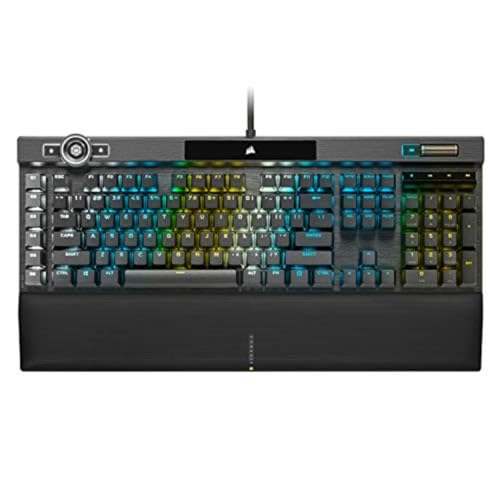
You’ve Reached the Top: The CORSAIR K100 RGB is the pinnacle of CORSAIR keyboards, offering the cutting-edge performance, style, durability, and customization that gamers need to stand above the rest.

The #1 Best-Selling Gaming Peripherals Manufacturer in the US: Source - The NPD Group, Inc. U.S. Retail Tracking Service, Keyboards, Mice, PC Headset/Pc Microphone, Gaming Designed, based on dollar sales, 2017-2021
Frequently Asked Questions
Can NKRO Keyboards Work With Wireless Bluetooth Connections?
I can use NKRO keyboards over Bluetooth, but you’ll notice Bluetooth latency considerations and wireless interference impacts may cause occasional missed keystrokes, especially when many keys are pressed simultaneously.
Do Macro Keys Affect a Keyboard’s Rollover Rating?
I’ve found that macro keys don’t change the rollover rating; they just send extra signals. As long as the keycaps fit, the underlying matrix still handles simultaneous presses the same way.
Is Rollover Performance Impacted by USB Polling Rates?
I can tell you that rollover timing isn’t dramatically altered by USB polling; higher polling rates just deliver key events a bit faster, but the keyboard’s own scanning determines true simultaneous‑key detection.
Can Software Drivers Override Hardware NKRO Limitations?
At last, I assure you: software drivers can’t truly override hardware NKRO limits; they can only mask latency through neural networks and clever latency optimization, but the physical diode matrix remains immutable.
Do Low‑Profile Key Switches Alter Anti‑Ghosting Capabilities?
I’ve found low‑profile switches don’t inherently weaken anti‑ghosting; they’re just thinner stems. If the matrix and diodes remain unchanged, the anti‑ghosting performance stays the same as on regular‑profile keys.